
If you’ve ever finished a workday and felt like your lower back was in knots, you’re not alone. Many of us spend hours at a desk, hunched over keyboards, squinting at screens, and sitting in chairs that were never quite adjusted right. Over time, these seemingly small habits add up, and what starts as occasional stiffness can turn into persistent back pain that affects your quality of life. Here in Ponderay, ID, we see countless patients at By Design Chiropractic who struggle with work-related back pain, and the good news is that many of these issues are preventable with the right ergonomic setup and habits. In this article, we’ll walk you through everything you need to know about reducing and preventing back pain at work, so you can feel better at your desk and beyond.
What is work-related back pain? Work-related back pain refers to discomfort, stiffness, or pain in the back that develops or worsens due to workplace conditions, posture, repetitive movements, or prolonged sitting. It commonly affects the lower back but can also involve the mid-back and neck, often stemming from poor ergonomics and lack of movement throughout the workday.
Table of Contents
- Why Office Work Causes Back Pain
- Understanding Ergonomics and Why It Matters
- Setting Up Your Workstation Correctly
- Posture and Movement Habits That Protect Your Back
- How Chiropractic Care Helps Work-Related Back Pain
- Practical Tips for a Pain-Free Workday
- When to See a Chiropractor for Work-Related Back Pain
- Ergonomic Setup: Before and After
- Myths vs. Facts About Back Pain at Work
- Final Thoughts
Why Office Work Causes Back Pain
The human body wasn’t designed to sit in one position for eight or more hours a day. Our spines are meant to move, bend, and shift throughout the day. When we sit for extended periods, especially with poor posture, we place uneven stress on the muscles, ligaments, and discs in our back. The lower back, in particular, bears the brunt of this stress because it supports the weight of your upper body while you sit.
Sitting causes your hip flexors to shorten and tighten, which can pull on your lower back and create tension. At the same time, your core muscles—which normally help stabilize your spine—become less engaged when you’re seated. This combination of tight hip flexors and weak core support creates the perfect storm for back pain. Add in a chair that doesn’t support your natural spinal curves, a monitor that’s too low or too high, and a keyboard positioned awkwardly, and you’ve got a recipe for chronic discomfort.
Research published in the Annals of Internal Medicine has shown that prolonged sitting is associated with increased risk of musculoskeletal pain, including back pain. Even if you exercise regularly, sitting for long stretches can still negatively impact your spine and overall health. That’s why addressing your workspace setup and movement habits is so important, especially if you work a desk job here in Ponderay or anywhere else.
Understanding Ergonomics and Why It Matters
Ergonomics is the science of designing your workspace and work habits to fit your body’s natural movements and posture. The goal is to reduce strain, prevent injury, and improve comfort and productivity. When your workspace is ergonomically sound, your body can maintain neutral positions that minimize stress on your muscles, joints, and spine.
Think of ergonomics as a form of injury prevention. Just like you wouldn’t lift a heavy box with a rounded back, you shouldn’t sit at a desk that forces your body into awkward angles. Good ergonomics means your chair, desk, monitor, keyboard, and mouse are all positioned to support healthy posture and allow you to work comfortably without straining.
Many people assume that back pain at work is just part of the job, something they have to live with. But the truth is, most work-related back pain is preventable. By making simple adjustments to your workstation and being more mindful of your posture and movement, you can significantly reduce your risk of developing chronic pain. At By Design Chiropractic, we often educate our patients on these principles because we see firsthand how much of a difference they can make.
Setting Up Your Workstation Correctly
Let’s walk through the essential elements of an ergonomic workstation. Each component plays a role in supporting your spine and preventing back pain.
Chair Height and Support
Your chair is the foundation of your workstation. Start by adjusting the height so that your feet rest flat on the floor or on a footrest. Your knees should be at about a 90-degree angle, and your thighs should be parallel to the ground. If your chair is too high, your feet will dangle, putting pressure on the back of your thighs and lower back. If it’s too low, your knees will be higher than your hips, which can strain your lower back.
Make sure your chair has good lumbar support. The natural curve of your lower back should be supported by the chair’s backrest. If your chair doesn’t have built-in lumbar support, consider using a small cushion or rolled towel placed at the small of your back. Sit all the way back in the chair so your back is fully supported, rather than perching on the edge of the seat.
Desk Height
Your desk should allow your arms to rest comfortably at your sides with your elbows bent at roughly 90 degrees when typing. If your desk is too high, you’ll end up shrugging your shoulders, which can cause tension in your neck and upper back. If it’s too low, you’ll slouch forward, rounding your shoulders and straining your lower back.
Monitor Position
Your monitor should be directly in front of you, about an arm’s length away. The top of the screen should be at or slightly below eye level. This positioning allows you to look straight ahead or slightly downward without craning your neck. If your monitor is too low, you’ll tilt your head down, which can strain your neck and upper back. If it’s too high, you’ll tilt your head back, which can cause similar problems.
If you use a laptop as your primary computer, consider getting a separate keyboard and mouse so you can elevate the laptop screen to the correct height. Laptop screens are almost always positioned too low when the laptop is flat on the desk, forcing you into a forward head posture.
Keyboard and Mouse Placement
Keep your keyboard and mouse close to your body so you don’t have to reach forward. Your wrists should be in a neutral position, not bent up or down, and your shoulders should be relaxed. Reaching forward repeatedly or holding your arms out in front of you for long periods can cause shoulder and upper back tension, which often radiates down into the lower back.
Posture and Movement Habits That Protect Your Back
Even with a perfectly ergonomic workstation, you still need to pay attention to your posture and movement throughout the day. Static postures—holding the same position for too long—are one of the biggest contributors to back pain at work.
Maintain Neutral Spine Alignment
When sitting, aim to keep your spine in a neutral position. This means maintaining the natural curves of your spine: a slight inward curve in your lower back, a slight outward curve in your mid-back, and a slight inward curve in your neck. Avoid slouching forward or arching your back excessively. Your head should be balanced over your shoulders, not jutting forward.
Take Frequent Movement Breaks
No matter how good your posture is, sitting for hours without moving is hard on your back. Evidence suggests that taking short breaks every 30 to 60 minutes can help reduce the strain on your spine. Stand up, walk around, stretch, or simply shift positions. Even just standing up for a minute or two can give your back a much-needed break.
Set a timer or use a reminder app to prompt you to move. You don’t need to do a full workout—just a few minutes of movement can make a big difference. Walk to get water, do a few gentle stretches, or take a quick lap around the office.
Engage Your Core
Your core muscles—including your abdominals and lower back muscles—help stabilize your spine. When you sit, try to engage your core gently by pulling your belly button slightly toward your spine. This isn’t about holding a rigid, tense position; it’s about maintaining a light, supportive contraction that helps keep your spine aligned.
How Chiropractic Care Helps Work-Related Back Pain
At By Design Chiropractic in Ponderay, ID, we see many patients who are dealing with back pain that started or worsened because of their work environment. Chiropractic care offers a non-invasive, drug-free approach to addressing the underlying causes of work-related back pain.
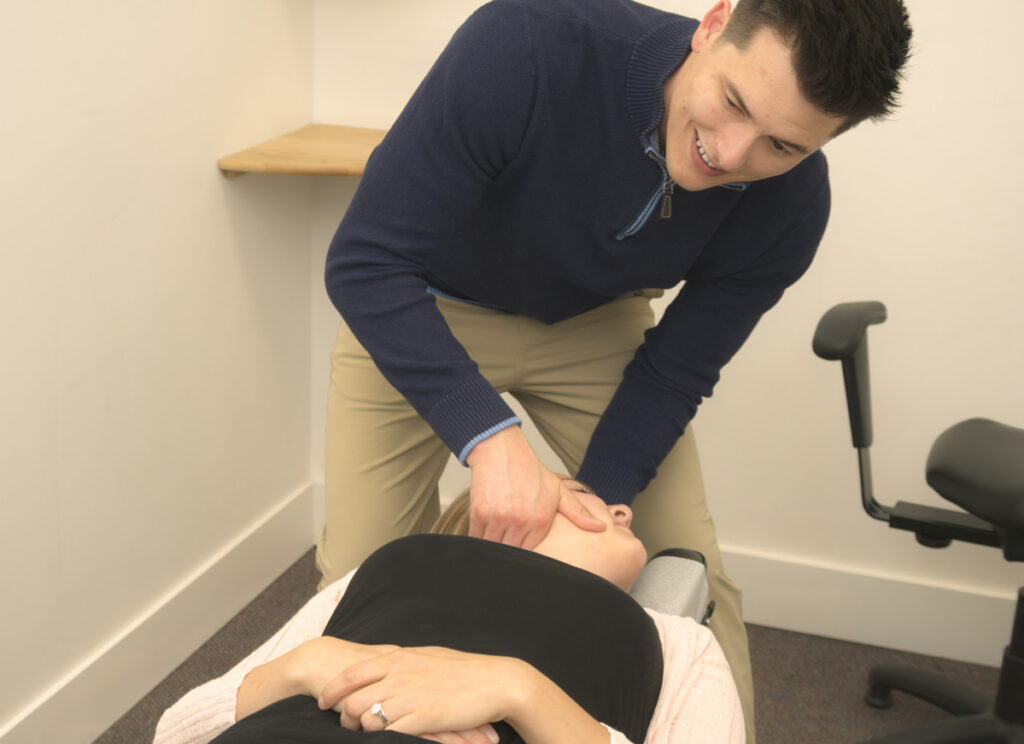
Chiropractic adjustments can help restore proper alignment to your spine, especially if prolonged sitting has caused vertebrae to shift out of their ideal positions. When your spine is properly aligned, the muscles and ligaments around it can function more efficiently, reducing strain and discomfort. Adjustments can also improve joint mobility, which is often restricted after long periods of sitting.
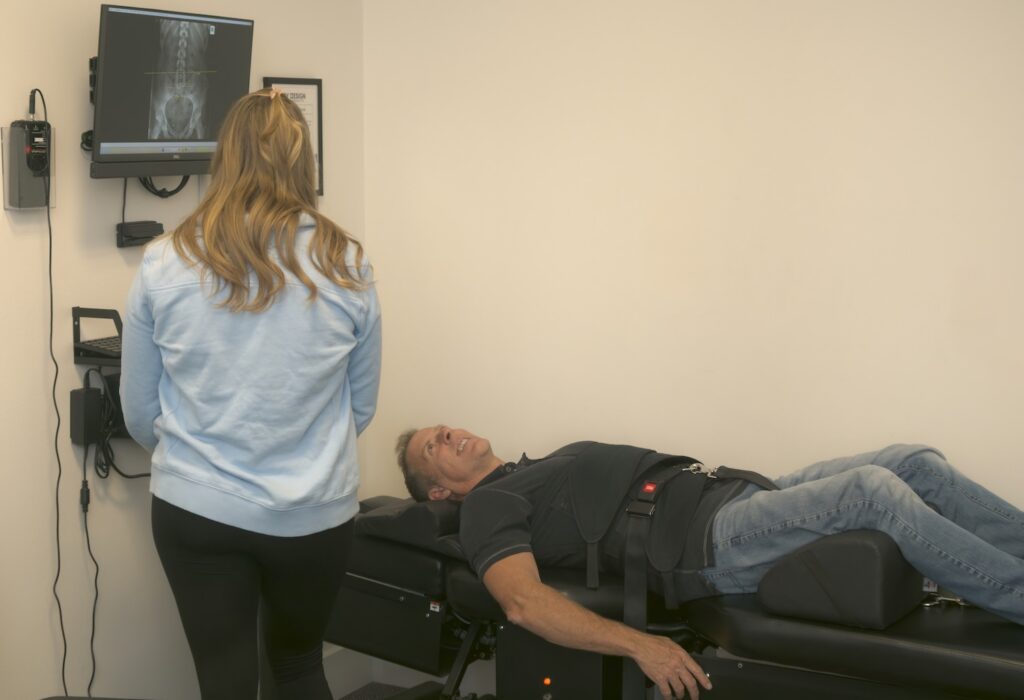
Beyond adjustments, chiropractors provide education and guidance on ergonomics, posture, and movement. We can assess your current work setup, identify problem areas, and recommend specific changes tailored to your body and your workspace. We may also suggest exercises and stretches to strengthen your core and improve flexibility, which can further protect your back.
Chiropractic care is personalized. What works for one person may not work for another, so we take the time to understand your specific situation, work habits, and pain patterns. Our goal is to help you feel better at work and give you the tools to prevent future problems.
Practical Tips for a Pain-Free Workday
Here are some actionable strategies you can start using today to reduce and prevent back pain at work:
- Adjust your chair and monitor before you start working each day. Take a minute to make sure everything is positioned correctly. Small adjustments can have a big impact.
- Use a footrest if your feet don’t reach the floor. This helps maintain proper knee and hip alignment.
- Keep frequently used items within easy reach. Avoid twisting or reaching awkwardly for your phone, mouse, or documents.
- Alternate between sitting and standing if possible. If you have access to a sit-stand desk, use it. Changing positions throughout the day reduces the strain of static postures.
- Do simple stretches at your desk. Gentle neck rolls, shoulder shrugs, seated spinal twists, and hamstring stretches can all help relieve tension.
- Stay hydrated. Drinking water not only keeps your body healthy but also encourages you to get up and move to refill your glass or use the restroom.
- Pay attention to your breath. Shallow breathing can contribute to tension. Take a few deep breaths throughout the day to help your body relax.
When to See a Chiropractor for Work-Related Back Pain
It’s normal to feel a little stiff after a long day at the office, especially if you’re new to sitting for extended periods. But if your back pain is persistent, worsening, or interfering with your daily life, it’s time to seek professional help.
Consider seeing a chiropractor if you experience any of the following:
- Back pain that lasts more than a few days despite rest and self-care
- Pain that radiates down your leg or into your buttocks
- Numbness, tingling, or weakness in your legs or feet
- Pain that worsens with certain movements or positions
- Stiffness that makes it difficult to stand up straight after sitting
- Pain that disrupts your sleep or daily activities
At By Design Chiropractic, we can evaluate your spine, identify any misalignments or restrictions, and create a care plan tailored to your needs. Early intervention often leads to faster relief and helps prevent chronic issues from developing.
It’s also important to note that while most work-related back pain is musculoskeletal and responds well to conservative care, there are certain red flags that warrant immediate medical attention. These include severe pain following a trauma or fall, loss of bladder or bowel control, unexplained weight loss, or pain accompanied by fever. If you experience any of these symptoms, seek medical evaluation right away.
Ergonomic Setup: Before and After
| Workstation Element | Common Mistake (Before) | Ergonomic Solution (After) |
|---|---|---|
| Chair Height | Feet dangle or knees too high, creating pressure on lower back | Feet flat on floor or footrest, knees at 90 degrees, thighs parallel to ground |
| Lumbar Support | No lower back support, leading to slouching and strain | Chair backrest or cushion supports natural curve of lower back |
| Monitor Height | Screen too low, causing forward head posture and neck strain | Top of screen at or slightly below eye level, arm’s length away |
| Keyboard Position | Keyboard too far away, causing reaching and shoulder tension | Keyboard close to body, elbows at 90 degrees, wrists neutral |
| Movement Breaks | Sitting for hours without standing or stretching | Stand and move every 30-60 minutes, incorporate stretches |
Myths vs. Facts About Back Pain at Work
Myth: You just have to live with back pain if you have a desk job.
Fact: While desk jobs do increase the risk of back pain, you don’t have to accept it as inevitable. With proper ergonomics, regular movement, and chiropractic care when needed, most people can significantly reduce or eliminate work-related back pain.
Myth: Expensive ergonomic chairs are the only solution.
Fact: While a good chair can help, it’s not the only factor. Proper adjustment of your existing chair, monitor height, keyboard position, and taking regular breaks are just as important. You don’t need to spend thousands of dollars to create an ergonomic workspace.
Myth: Standing desks cure back pain.
Fact: Standing desks can be helpful, but standing all day has its own risks, including leg and foot discomfort. The key is movement and variation. Alternating between sitting and standing is more beneficial than doing either one exclusively.
Myth: If your back doesn’t hurt during the workday, your setup is fine.
Fact: Pain often develops gradually. You may not feel discomfort immediately, but poor ergonomics can cause cumulative strain that leads to pain over time. Proactive adjustments are better than waiting until you’re already in pain.
Myth: Only older people get back pain from desk work.
Fact: Back pain at work can affect anyone, regardless of age. Young professionals who spend hours at a desk are just as susceptible to poor posture and ergonomic issues as older workers.
Final Thoughts
Back pain at work doesn’t have to be something you just tolerate. With the right ergonomic setup, mindful posture, and regular movement, you can protect your spine and feel better throughout your workday. Here in Ponderay, ID, the team at By Design Chiropractic is dedicated to helping our community stay healthy and pain-free, whether you’re working in an office, from home, or on the go. We believe that everyone deserves to work comfortably and live without chronic pain, and we’re here to support you every step of the way.
If you’re struggling with back pain at work or want to prevent it before it starts, we encourage you to take action. Assess your workspace, make the necessary adjustments, and listen to your body. And if you need guidance or care, don’t hesitate to reach out to us at By Design Chiropractic. We’re here to help you build healthier habits and feel your best, both at work and beyond.
Frequently Asked Questions
Can chiropractic care really help with back pain caused by sitting all day?
Yes, chiropractic care can be very effective for work-related back pain. Adjustments help restore proper spinal alignment and improve joint mobility, which reduces strain on muscles and ligaments. Chiropractors also provide education on ergonomics and exercises to support long-term relief.
How often should I take breaks from sitting during the workday?
Aim to stand up and move at least once every 30 to 60 minutes. Even a brief one- to two-minute walk or stretch can help reduce the strain on your back and improve circulation.
Is it better to use a lumbar support cushion or get a new chair?
If your current chair lacks lumbar support, a cushion or rolled towel can be a cost-effective solution. However, if your chair is worn out or can’t be adjusted properly, investing in a quality ergonomic chair may be worthwhile for long-term comfort.
What’s the best sitting posture for preventing back pain?
Sit with your feet flat on the floor, knees at 90 degrees, and your back fully supported by the chair. Keep your shoulders relaxed, your head balanced over your spine, and avoid slouching or leaning forward.
Can exercises or stretches help prevent back pain at work?
Absolutely. Strengthening your core, stretching your hip flexors and hamstrings, and doing gentle spinal mobility exercises can all help support your back and reduce the risk of pain. A chiropractor can recommend specific exercises tailored to your needs.
When should I see a doctor instead of a chiropractor for back pain?
If you experience severe pain following an injury, loss of bladder or bowel control, unexplained weight loss, fever, or pain that doesn’t improve with rest and self-care, seek medical evaluation. For most musculoskeletal back pain, chiropractic care is a safe and effective first step.
TL;DR: Key Takeaways
- Work-related back pain is often caused by poor ergonomics, prolonged sitting, and lack of movement throughout the workday.
- Proper workstation setup—including chair height, lumbar support, monitor position, and keyboard placement—can significantly reduce strain on your back.
- Taking regular movement breaks every 30 to 60 minutes is essential for preventing stiffness and pain.
- Chiropractic care offers a non-invasive, personalized approach to addressing and preventing work-related back pain through adjustments, education, and exercise guidance.
- If back pain persists, worsens, or interferes with daily life, seek professional evaluation at By Design Chiropractic in Ponderay, ID.